Memoir Memoir
Why MemoirFeaturesInstallDemosUI GalleryBlogsDocs
GitHub
Back to home UI Gallery

Inspect your memory like code.

Memoir ships with a local-first community web UI — a read/write inspector for your store. Browse the taxonomy, diff commits, walk the graph, merge branches, and audit your agent's runs without leaving your machine.

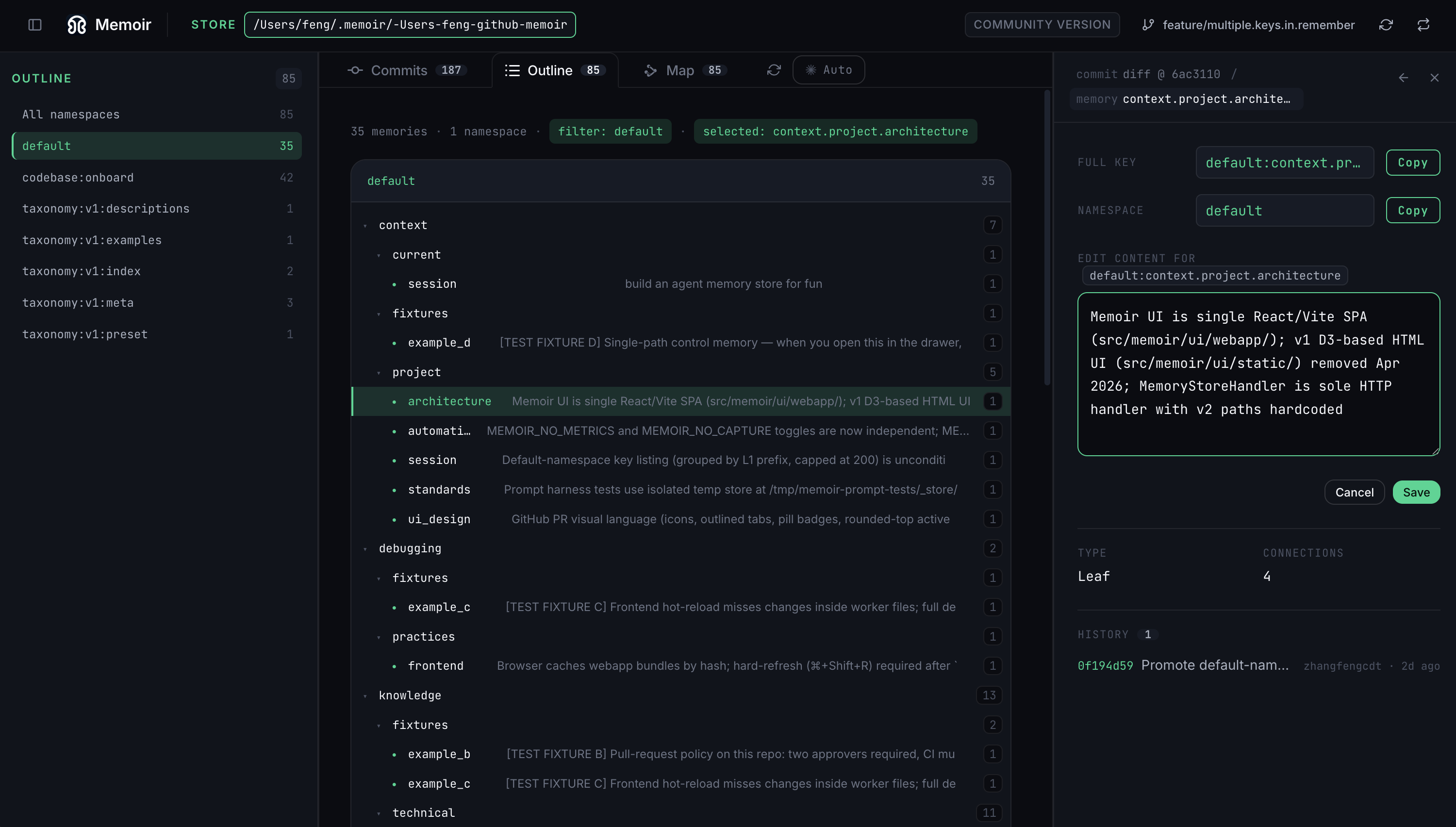
  1. Memoir outline view: hierarchical taxonomy tree with paths like default > context > project > architecture, expanded on the right into a path detail panel.
    Outline

    Browse the taxonomy as a tree.

    Walk every branch, leaf, and value memoir has stored. Click any path to read or edit it inline — no SQL, no JSON poking.

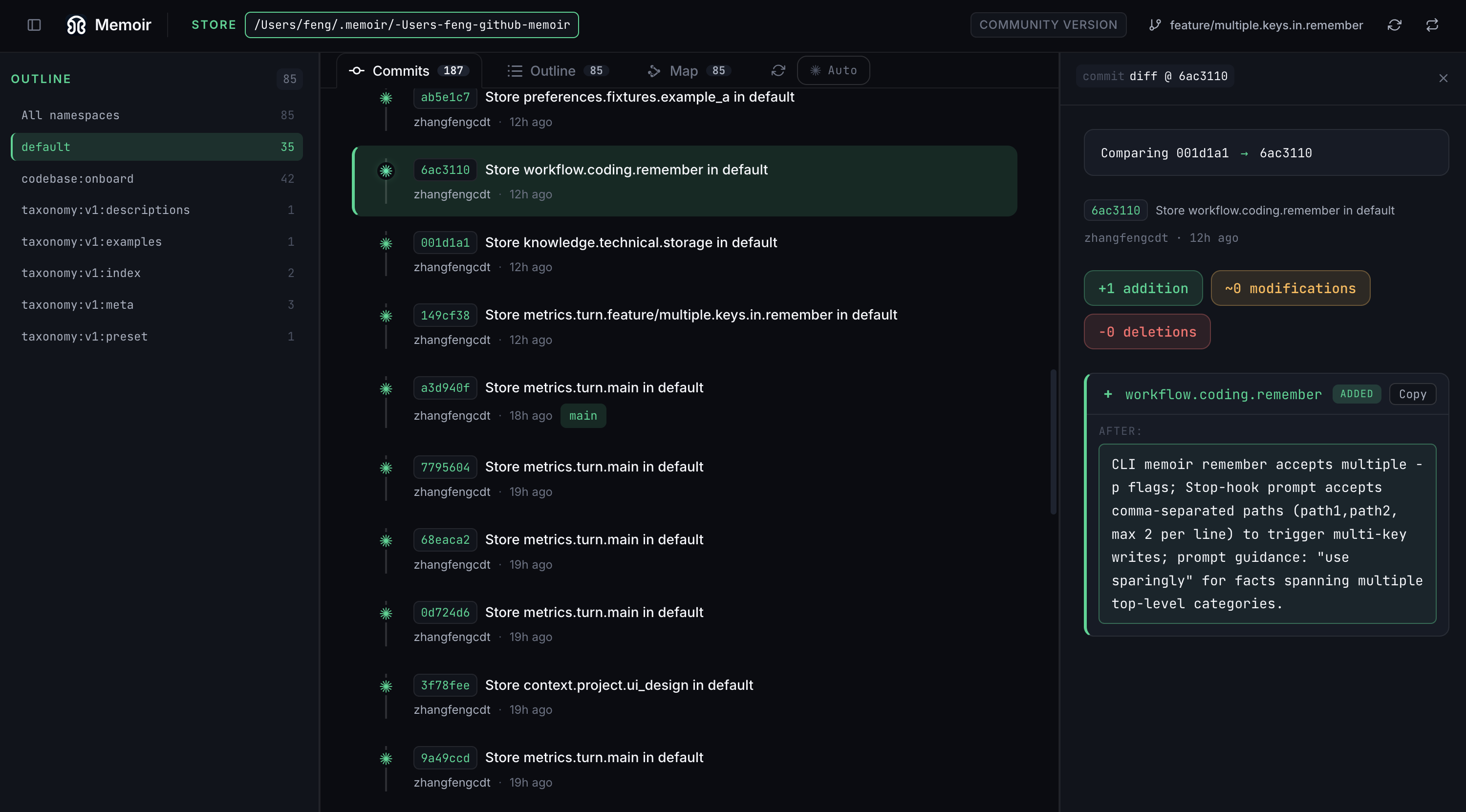
  2. Memoir commits view: a vertical timeline of commits on the left, a side-by-side diff of two commits on the right showing additions and removals.
    Commits

    A commit log for your memory.

    Each write — and each merge — is committed. A single commit may touch one path or many. Pick any two and see exactly which paths, values, and metadata changed between them.

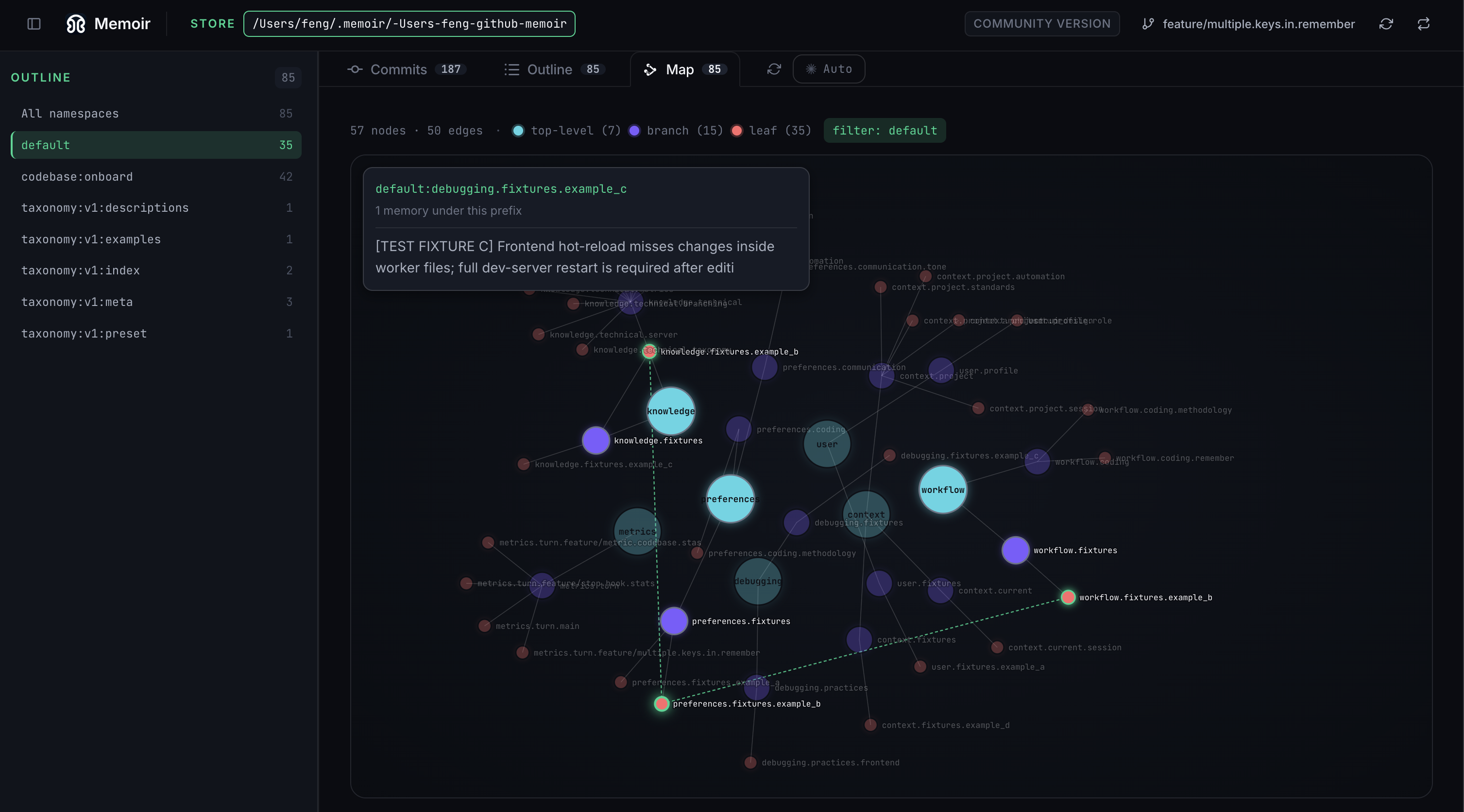
  3. Memoir map view: a force-directed graph of memory nodes, with branches and leaves connected by edges. One node is highlighted with a content tooltip.
    Map

    See memory as a graph.

    Top-level branches, sub-branches, and leaves laid out as a force-directed network. Hover any node for its content; spot clusters and outliers at a glance.

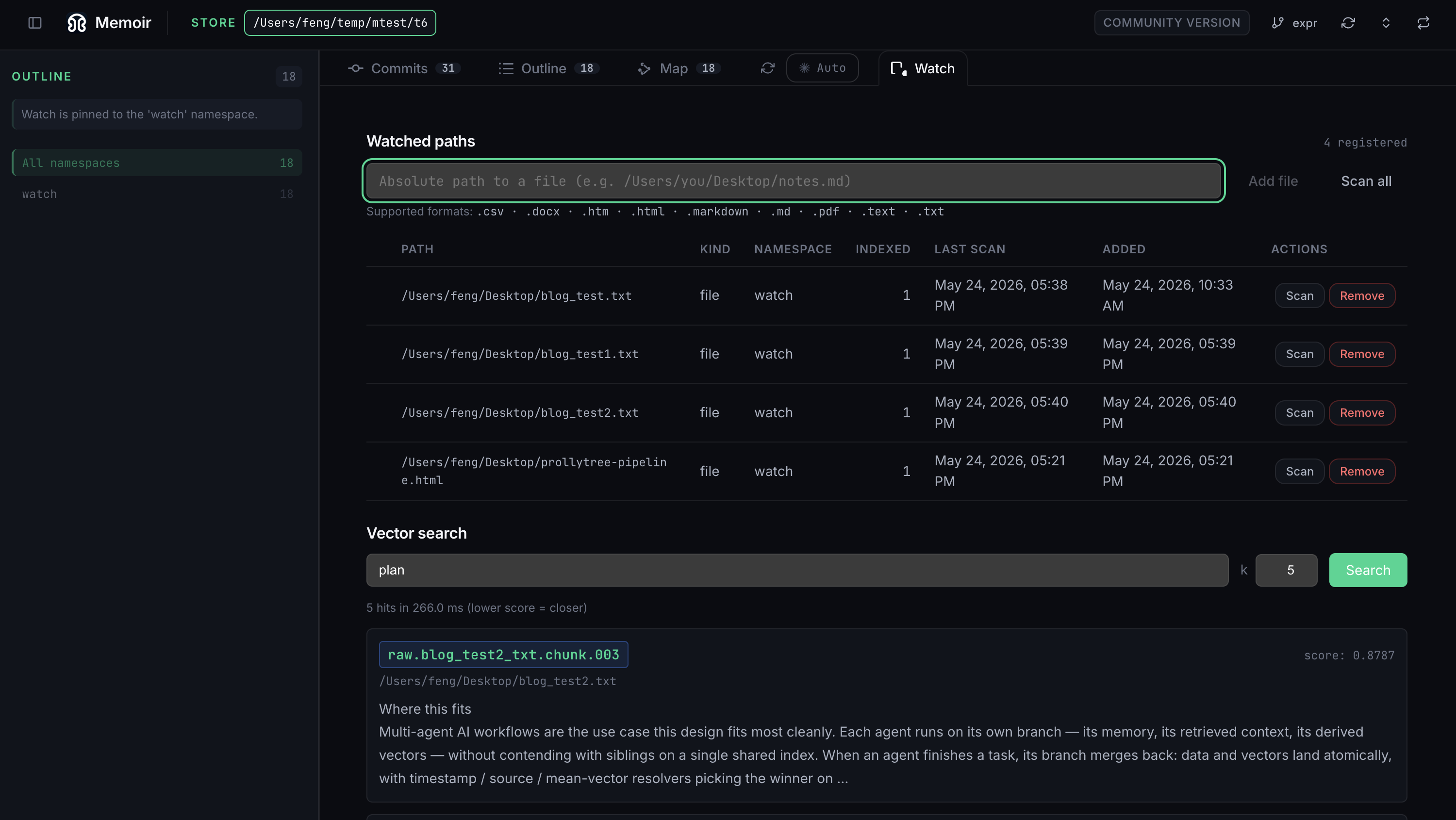
  4. Memoir watch view: a "Watched paths" table listing ingested files with their kind, namespace, indexed count, and scan times; below it a "Vector search" box with a query and a ranked result showing a chunk key, source path, and similarity score.
    Watch

    Ingest files, search by meaning.

    Register files or folders and memoir indexes them into the same versioned store — .md, .pdf, .docx, .html, and more. Then search by similarity: each hit is a ranked chunk with its source path and score, returned in milliseconds.

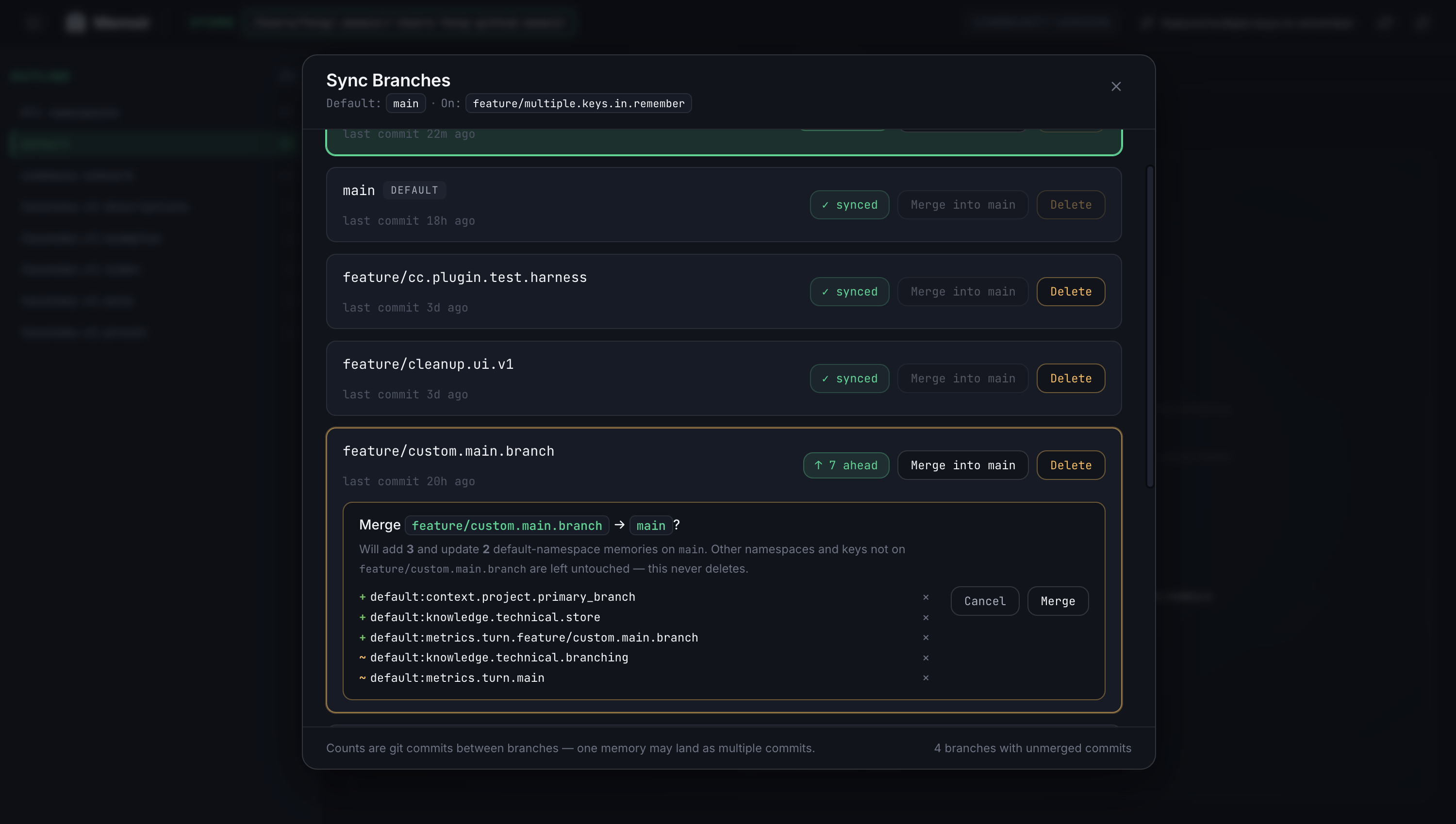
  5. Memoir sync-branches modal: a list of branches with synced status, ahead-counts, and merge buttons. One branch is expanded showing the exact paths that would change.
    Sync branches

    Merge with confidence.

    Each branch shows its commit delta and exactly which paths it would add or remove from main. No more guessing what a memory merge will do.

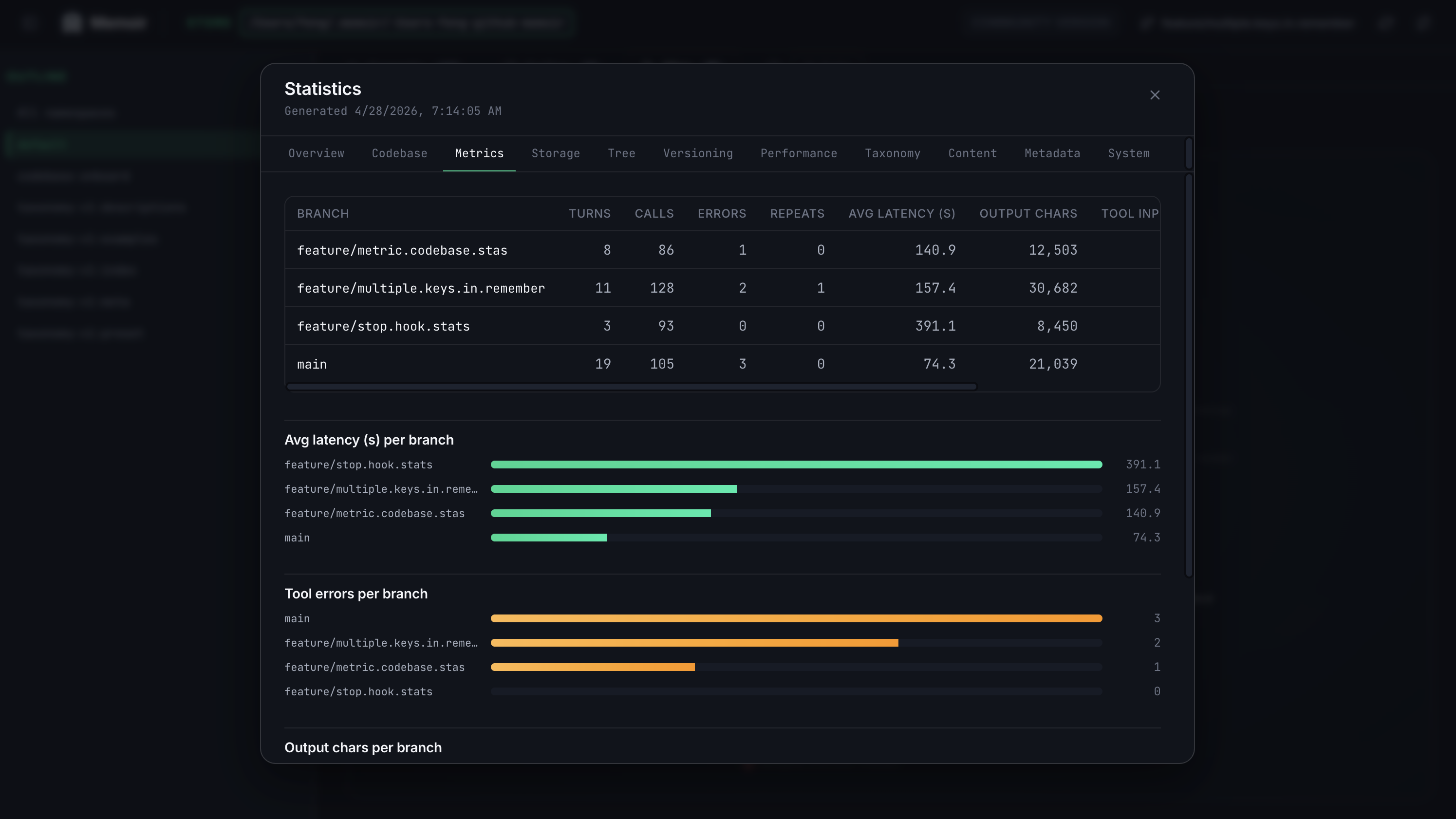
  6. Memoir statistics modal on the metrics tab: a per-branch table with turns, calls, errors, and repeats; horizontal bar charts for latency and tool errors.
    Statistics · Metrics

    Per-branch analytics, built in.

    Average latency, tool errors, output chars, repeats — see how your agent runs differ across branches without bolting on extra observability.

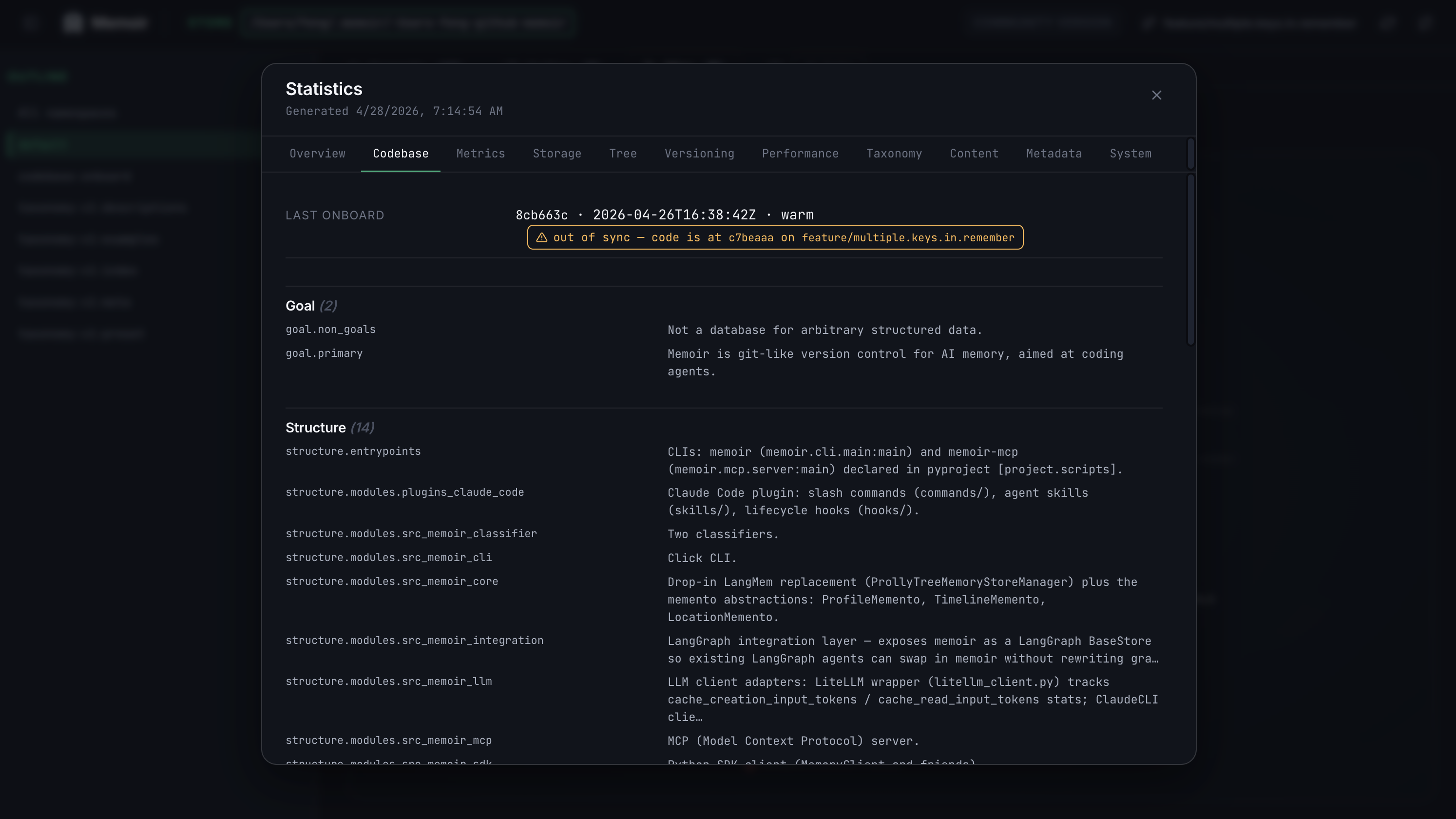
  7. Memoir statistics modal on the codebase tab: an out-of-sync warning, then sections for Goal and Structure listing onboarded modules and their roles.
    Statistics · Codebase

    Onboarding context at a glance.

    Goals, structure, and module map captured by /memoir-onboard. Future sessions auto-load the snapshot; out-of-sync warnings flag when code has drifted.

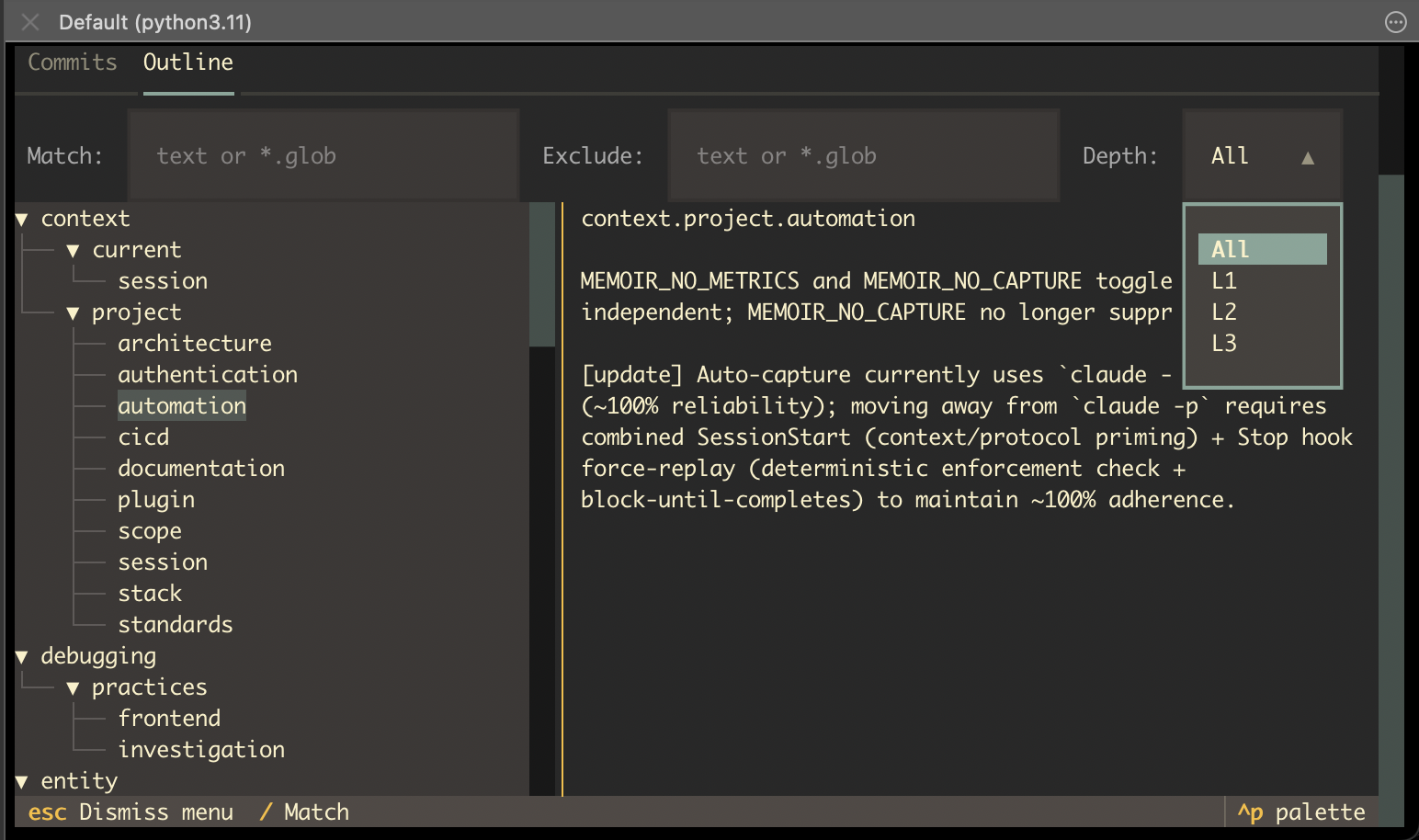
  8. Memoir TUI outline view: a terminal window with Commits and Outline tabs, Match/Exclude/Depth filter inputs, a taxonomy tree on the left (context, debugging, entity branches), and the selected path content rendered on the right.
    TUI · Outline

    Same inspector, in your terminal.

    Prefer to stay on the keyboard? The memoir TUI mirrors the web outline — match and exclude filters, depth controls, and an inline path detail pane — without leaving the shell.

The UI is part of the open-source memoir distribution — clone the repo and run it against your own store.

Memoir on GitHub
Memoir Memoir

Git-versioned, taxonomy-structured memory for AI agents.

Join Discord

Product

  • Features
  • Install
  • UI Gallery
  • Blogs
  • Docs

Developers

  • GitHub
  • Discussions
  • Python SDK
  • CLI
  • Claude Code plugin
  • Codex plugin
  • MCP server

Community

  • Issues
  • License
  • Origin discussion (r/AI_Agents)

© 2025–2026 Memoir contributors. Licensed under Apache 2.0.

Making AI memory as reliable as Git made code.